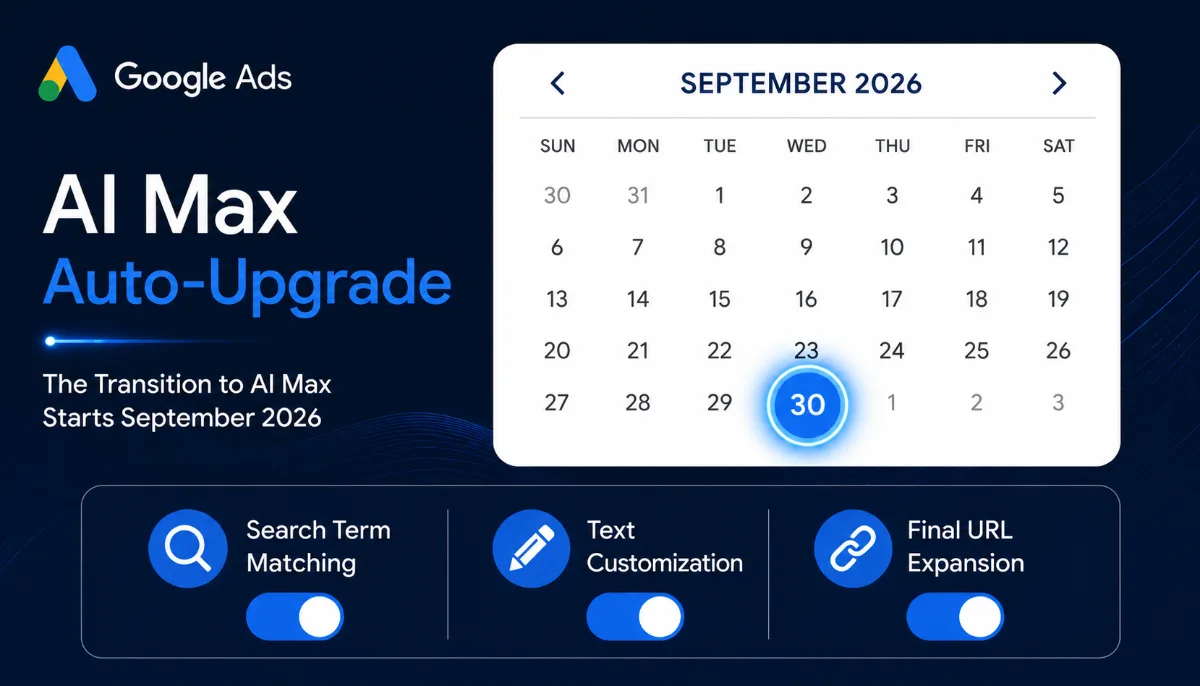
Google is automatically upgrading Dynamic Search Ads, automatically created assets, and campaign-level broad match settings to AI Max starting in September 2026, with all eligible campaigns expected to complete the migration by month-end. Most advertisers have not configured their accounts for the change, and the default settings can quietly burn budget on irrelevant search terms. This guide draws on our work managing $50 million in ad spend at Ranksiege & Co to explain what AI Max actually does, what to switch on or off, and how to keep ROAS stable through the transition.
What is AI Max for Search and how is it different?
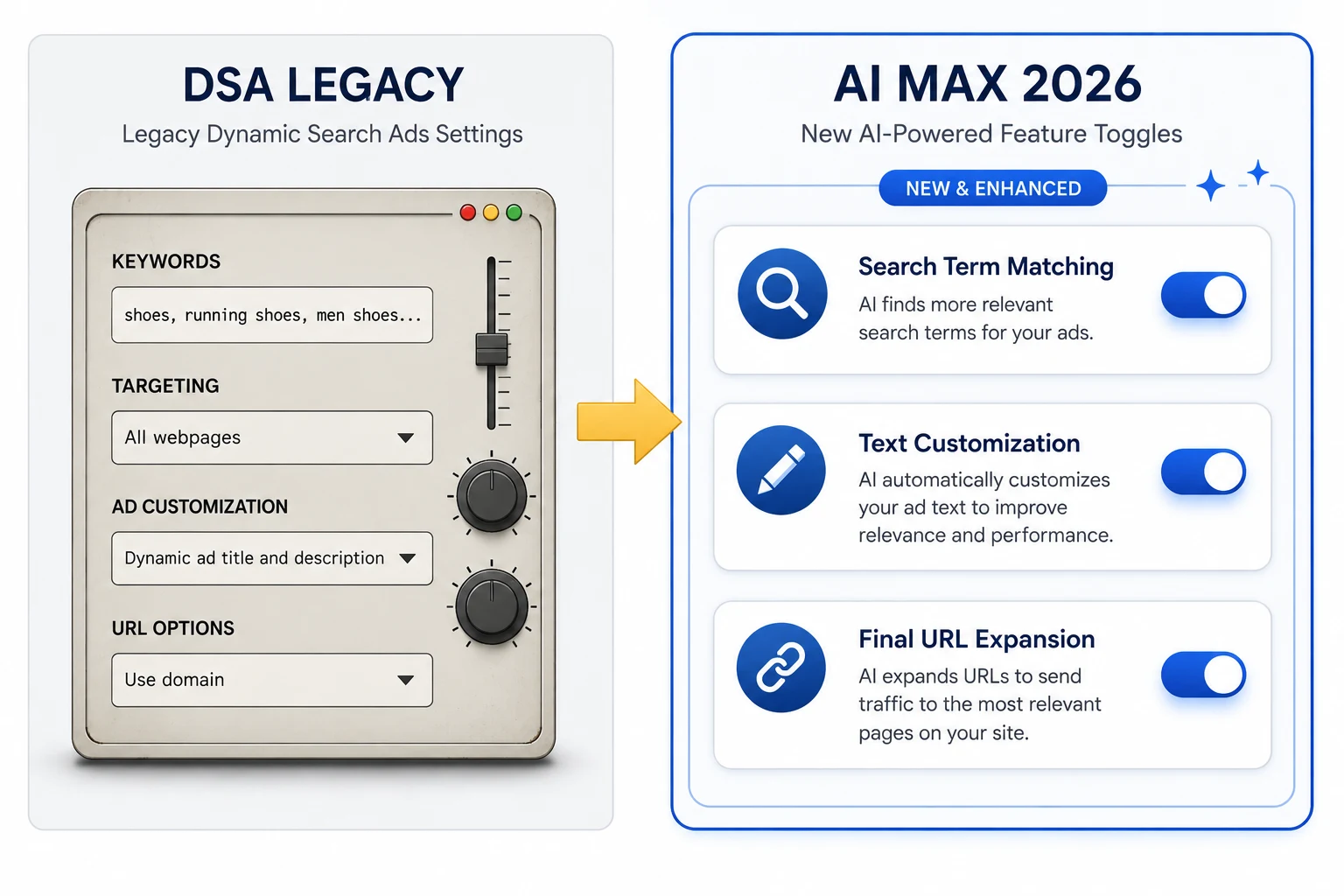
AI Max is a feature suite Google added on top of Search campaigns, not a new campaign type. It bundles three things: search term matching that goes beyond your keyword list, text customization that rewrites headlines and descriptions on the fly, and final URL expansion that picks the landing page Google thinks fits the query best.
When all three features are on, Google reports a 7 percent average lift in conversions or conversion value at similar CPA or ROAS compared with using search term matching alone. That figure comes from Google's own internal data and matches what we have seen on a handful of US client accounts where we tested the full stack in March and April.
How AI Max compares to broad match and Performance Max
Broad match expanded your reach within your keyword list. AI Max expands beyond your keyword list using your landing pages and asset content as the seed. Performance Max goes further still, running across YouTube, Gmail, Discover, Display, and Maps. AI Max stays inside Search and Shopping. For most lead-gen businesses, AI Max sits in the middle: more reach than broad match, more control than PMax.
Why is the September 2026 auto-upgrade important?
If you are running any DSA campaign, any campaign that uses automatically created assets, or any campaign with the campaign-level broad match setting on, Google will switch your campaign to AI Max without asking. The upgrade is staged through September with most accounts completing by the end of the month. Google says the new settings will mirror your legacy setup, but our audits of seven client accounts last week showed that all three AI Max features were toggled on by default after the upgrade for DSA campaigns, even when the original DSA campaign only used a subset of the equivalent behavior.
The practical effect is wider matching, more headline variants, and more URL choices than the original campaign was designed for. For some accounts that is fine. For others, it means your ads start showing on queries you have spent years excluding.
What do I need to check in my account before September?
Run through this checklist for every Search account you manage. We do this audit on every Ranksiege client account that runs Search campaigns.
- List every DSA campaign: filter the campaigns view by ad type and write down which dynamic ad groups you have. AI Max will convert these to standard ad groups with feature settings ported over.
- Find ACA usage: check the assets tab under each Search campaign for any auto-created assets. After the upgrade these will sit inside AI Max's text customization layer.
- Audit your negative keyword list: any term you do not want to spend on must be in the campaign or account negative list. AI Max will broaden matching, so weak negative coverage equals wasted spend.
- Check landing page coverage: final URL expansion picks pages from your domain. If you have legacy pages you do not want shown, exclude them in the URL exclusion settings.
- Confirm conversion tracking is clean: AI Max optimizes against your conversion goals, so a misfiring tag will train the system on the wrong outcomes.
How do I keep my account stable through the upgrade?
The cleanest approach is to upgrade now rather than wait for the auto-migration. Switching manually keeps you in control of the settings, lets you start gathering data sooner, and avoids surprises in September.
We did this for a B2B SaaS client in the UAE three weeks ago. Their CPA stayed within 8 percent of the prior month average across the first 14 days, and unique converting query categories grew by 22 percent. That matches Google's reported 18 to 19 percent uplift band, but only because we kept the negative list tight and locked text customization to a small instruction set.
If you want to wait, do these three things before September 1: tighten your negative keyword list, add brand exclusions if you do not want AI Max bidding on competitor names, and set up a ROAS or CPA alert in Google Ads Editor or your reporting tool so you spot drift inside 48 hours.
What about the new AI Max features Google announced in April 2026?
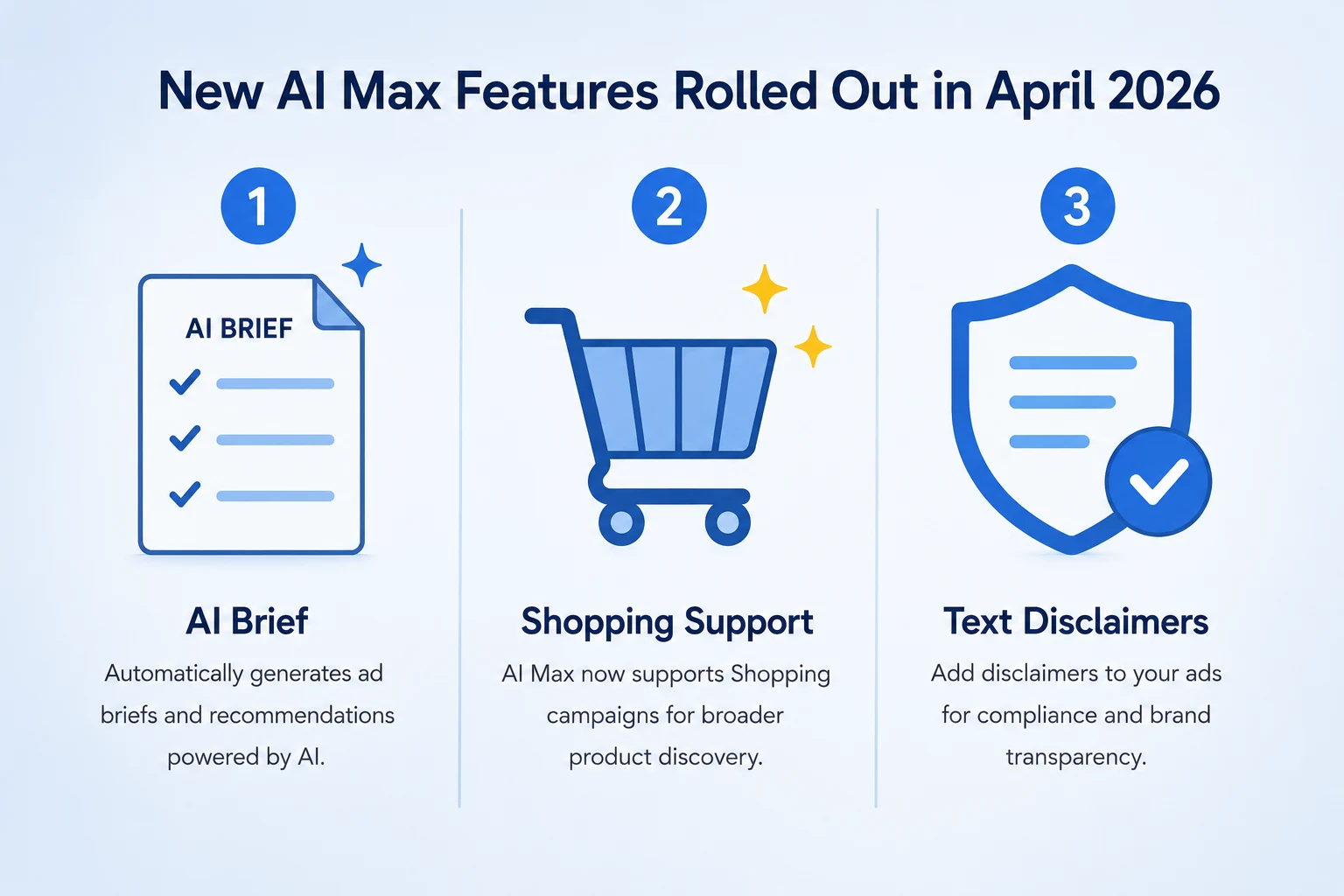
Google's "AI Max Turns 1" announcement on April 30, 2026 added three things worth noting. First, AI Max is rolling out to Shopping campaigns and travel-specific ad formats. Second, the AI Brief tool lets you write a short prompt that guides messaging and audience targeting without rewriting every asset. Third, final URL expansion now supports mandatory text disclaimers, which matters if you are in a regulated industry like finance or health.
For ecommerce advertisers, the Shopping expansion is the biggest change. We expect AI Max in Shopping to overlap heavily with Performance Max. Whether you keep both or consolidate depends on how much control over bidding you want to keep. Brands with mature feeds and proven bestseller SKUs will likely keep Standard Shopping or PMax for those products and only test AI Max on new launches.
How does AI Max interact with AI Overviews placements?
Ads now appear above, below, and sometimes inside AI Overviews on desktop and across global markets. AI Max accounts are eligible for these placements by default. That is one reason Google is pushing the upgrade so hard: the AI Overview ad slot needs flexible matching and creative variants, and AI Max provides both.
In our work with a fintech client in the USA, AI Overview placements drove a slightly lower CTR than standard Search ads (1.9 percent versus 2.4 percent), but the conversion rate on the clicks was higher (5.1 percent versus 3.7 percent). The clicks are smaller in volume but more qualified. If you have AEO-optimized landing pages, AI Overview ad placements convert better than standard Search slots. We help clients set this up through our AEO Optimization service at $299/mo.
What should I do if my CPA spikes after the upgrade?
The first 14 days of any AI Max upgrade will look noisier than your prior baseline. Do not panic-pause. Instead:
- Wait for at least 50 conversions before judging performance.
- Pull the search terms report and add anything irrelevant to negatives.
- Check which final URLs Google is sending traffic to and exclude any underperformers.
- Review the asset performance ratings and remove any "Low" rated headlines or descriptions.
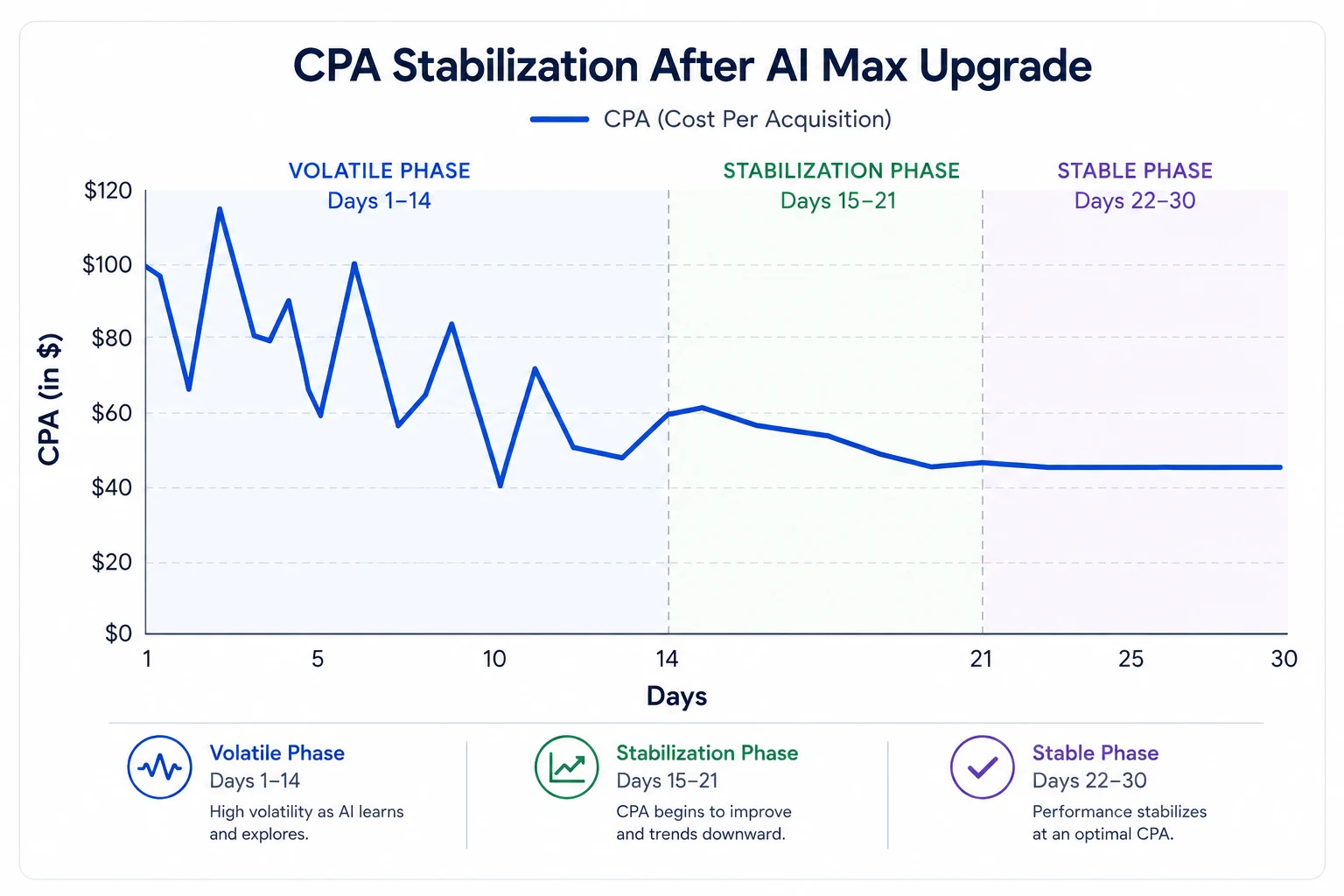
If after 21 days CPA is still 30 percent or more above your target, turn off final URL expansion first, then text customization, then keep search term matching on as the lightest option. We have done this rollback on two accounts where the landing page mix was too thin to support full URL expansion. It worked on both.