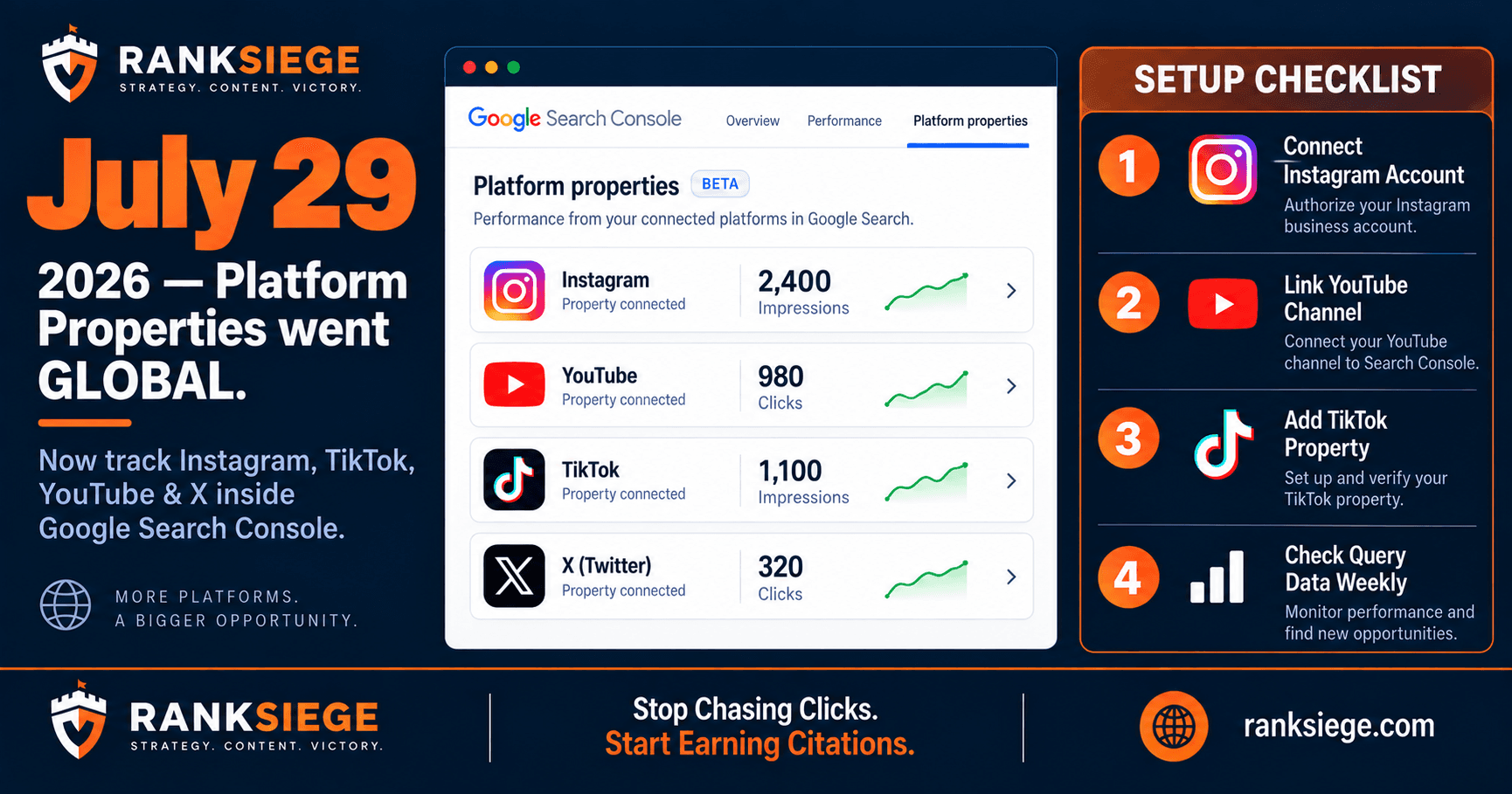
Google Search Console can now show you how your Instagram posts and YouTube videos perform in Google Search, Discover, and News. This feature, called Platform Properties, became globally available on July 29, 2026. It means the traffic your social content drives through Google is now measurable for the first time. This article explains what Platform Properties does, how to set it up, and what to do with the data once you have it.
What are Google Platform Properties?
Platform Properties is a Google Search Console feature that lets you add social media accounts as separate properties alongside your website. Once connected, Search Console shows you impressions, clicks, click-through rates, and average position data for your content on Instagram, TikTok, YouTube, and X when that content surfaces through Google Search, Discover, or News.
Before Platform Properties, there was no official way to see how your Instagram content contributed to Google Search visibility. You might have had posts indexed by Google, content appearing in Discover, or videos surfacing in search results, but these impressions and clicks were invisible in your analytics. Platform Properties makes that data visible.
Google confirmed the global rollout on July 29, 2026, via the Search Central Blog. The feature is available for all Search Console users at no additional cost. It sits in the same interface as your traditional web property reporting.
Why did Google add Platform Properties to Search Console?
The broader context is that Google's definition of search has expanded. Search is no longer limited to google.com results. Google indexes Instagram posts, YouTube videos, TikTok content, and X posts and surfaces them in Search, Discover, and News. As this expanded indexing became a significant traffic driver, the absence of measurement tools became a gap that Google needed to close.
Platform Properties also reflects Google's interest in strengthening publisher relationships with social platforms. By giving brand owners visibility into how their social content performs in Google's systems, Google incentivizes more high-quality content publishing across platforms, which gives Google more content to index and surface.
For SEO professionals, Platform Properties is useful because it reveals an often-overlooked traffic source. We have audited clients whose Instagram posts were driving thousands of Discover impressions per month with zero visibility in any existing report. That traffic existed, but no one was managing it or optimizing for it because no measurement tool had made it visible.
How do you set up Platform Properties in Google Search Console?
The setup process is straightforward. In Google Search Console, navigate to the property selector dropdown at the top left. Click "Add property." You will see a new option for Platform Properties alongside the usual options for URL prefix and domain properties.
Select the platform you want to add (Instagram, TikTok, YouTube, or X). You will then go through a platform-specific verification process. For Instagram, this typically involves connecting your Google account with read access to your Instagram business or creator account. For YouTube, verification uses your Google account if the channel is already connected. TikTok and X use similar account-linking flows.
Once verified, Search Console begins collecting data from that platform property. You will see data in your reports within 24 to 48 hours, though historical data is not backfilled. The platform property appears in your property selector just like a web property and has the same reporting interface: Search type, Date range, Queries, Pages, Countries, Devices.
What verification does Instagram require?
Instagram Platform Properties verification requires that your Instagram account is a Business or Creator account (not a personal account), and that you connect it through a Google-managed authorization flow. You do not need to be a Google Ads customer or have any ad spend active. The verification is read-only: Google can view your account's public content metrics, but cannot post or modify anything on your account.
What data does Platform Properties show you?
Platform Properties shows you the same four core metrics as traditional Search Console web reporting: impressions, clicks, average CTR, and average position. The difference is that these metrics apply to your social content appearing in Google's surfaces, not to your website.
Impressions: how many times your Instagram post or YouTube video appeared in a Google Search, Discover, or News result.
Clicks: how many times a user clicked through from a Google surface to your social content.
Average CTR: clicks divided by impressions. Useful for understanding whether your content previews are compelling enough to generate a click.
Average Position: where in Google results your social content typically appears.
You can filter this data by Search type (Search, Discover, News), by specific queries (to see which keywords surface your social content), by country, and by device. The query data is particularly useful: it tells you which keyword queries are already surfacing your social content in Google, which informs both your social content strategy and your SEO keyword targeting.
How should you use Platform Properties data to improve your strategy?
The first step is establishing your baseline. Connect all your platform properties, give it two weeks to collect data, then export the query data for each platform property. Sort by impressions. This tells you which topics your social content already covers that Google associates with your brand.
Compare this against your web property Search Console data. If your Instagram content is surfacing for queries your website does not rank for, you have two options: create web content targeting those queries (leveraging the topical authority your Instagram activity has established) or optimize your Instagram posts for those queries by adding more specific text in captions.
If your YouTube videos appear for queries your website targets, check whether a Google search for those queries shows your YouTube video above your website. If it does, the video is your primary organic asset for that query. Optimize the video title, description, and chapter markers for that keyword. Adding a text transcript as a video description improves indexability significantly.
What should you do if a platform property shows zero data?
Zero data from a platform property after 10 or more days indicates one of three things: your account is set to private (Google cannot index private content), your content has not been indexed by Google, or your platform account is too new to have accumulated indexable content.
Check that the relevant account is public. Then check whether your recent posts include sufficient text (captions, descriptions, transcripts) for Google's indexing systems to understand the content. Accounts that post only images with no captions, or videos with no descriptions, give Google's systems little to index.
What does Platform Properties mean for your content strategy?
Platform Properties data makes it possible to run a unified content-performance view across your website and your social accounts. You can answer questions that were previously unmeasurable: is my Instagram content driving search discovery? Which YouTube videos are bringing in search traffic? Is my TikTok content appearing in Google Discover?
The practical implication is that social content optimization now has SEO value that you can measure. Writing longer, keyword-aware captions on Instagram is not just social engagement advice. It is indexation advice. Adding chapter markers to YouTube videos is not just viewer experience advice. It affects how Google parses and surfaces that video for search queries.
For clients on our SEO plan, we now include Platform Properties setup and monthly reporting as standard. We connect all eligible platform accounts to Search Console in month one and flag any social content that is already surfacing for queries the client cares about. This often reveals content opportunities that neither the client nor our team had considered before seeing the data.
Start with a free 200-point audit. We set up Platform Properties as part of the audit and show you what you are already generating that you do not know about.